
Pharmacy
Pharmacy Dashboard
The Pharmacy Dashboard provides a summary of daily financial activity, showing today’s sales and expenses, both currently at Rs. 0.00. It displays the number of medicines and staff members, with one staff member listed. A monthly income and expense graph illustrates trends for 2025. The dashboard includes sections for latest sales and expenses, along with statistics for the current month such as total sales, expenses, medicine count, and out-of stock items.

Pharmacy Sales
The Pharmacy Sales section displays a table for tracking all medication sales, including invoice ID, date, subtotal, discount, grand total, and options. Currently, no sales records are available in the system. Users can add new sales entries through the provided button and export data in Excel, CSV, PDF formats or print the list. A search bar allows filtering entries.

Pharmacy Add New Sale
The Pharmacy Point of Sale interface allows users to process medication sales by selecting items from a list. It includes fields for item selection, subtotal, discount, and total amount. The system calculates the final amount based on inputs and provides a Submit button to complete the transaction.

Pharmacy Expenses
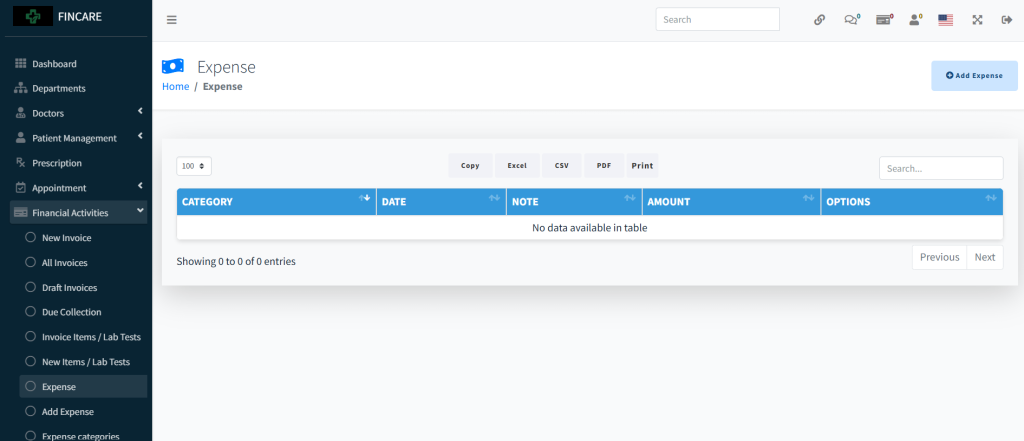
The Pharmacy Expenses section displays a table for recording and managing pharmacy related expenditures, including category, date, amount, and options. Currently, no expense entries are listed in the system. Users can add new expenses through the provided button and export data in Excel, CSV, PDF formats or print the list. A search bar allows filtering entries,

Pharmacy Add Expense
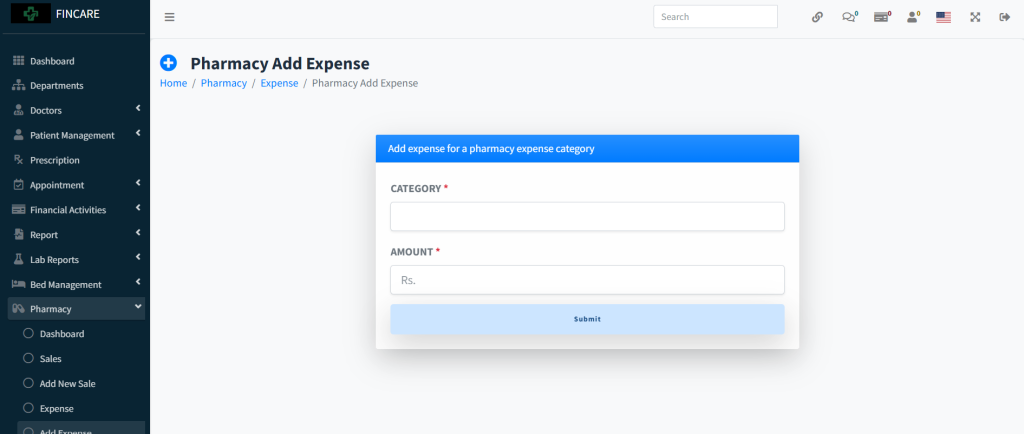
The Pharmacy Add Expense form allows users to record new pharmacy-related expenditures by entering the expense category and amount in rupees. Both fields are mandatory before submission. Once filled, the entry can be saved using the Submit button.
Pharmacy Expense Categories
The Pharmacy Expense Categories section displays a list of predefined categories for classifying pharmacy expenditures, including category name, description, and options. Currently, no categories are listed in the system. Users can add new categories through the provided button and export data in Excel, CSV, PDF formats or print the list. A search bar allows filtering entries.

Pharmacy Report
The Pharmacy Report provides a detailed financial overview of pharmacy operations, including sales and expenses within a selected date range. It displays item-wise data such as name, quantity, purchase cost, and sale cost, along with subtotals, discounts, and total sales. The report also shows purchase price, sale price, gross expense, and profit, all currently at Rs. 0.00. A separate section lists expenses by category and amount. Users can filter data using date inputs and submit to generate results.
Add Expense
The Add Expense form allows users to record financial expenditures by entering the expense category, amount in rupees, and optional remarks. The form includes mandatory fields for category and amount, with a Submit button to save the entry. Once submitted, the expense is added to the main expense list.

Expense Categories
The Expense Categories section displays a list of predefined categories used for classifying organizational expenses. It includes columns for category name and description, with options to edit or delete entries. Currently, no categories are listed. Users can add new categories through the provided button and export data in Excel, CSV, PDF formats or print the list.
